
Positioning Communication Paths
Capture mail servers, data scopes, and operational priorities together.

 TECHNOLOGY PARTNER
E-MAIL · COMMUNICATION · OPERATIONS
CCNet integrates suitable Hornetsecurity components with your communication reality: email protection, archiving, encryption, signatures, and potential backup paths are positioned together.
Positioning Communication Paths
Capture mail servers, data scopes, and operational priorities together.
Align the protection architecture
Translate suitable building blocks, roles, and policies into a clear framework.
Evolve operations
Design implementation, responsibilities, and reporting to be transparent and easy to follow.
OPERATIONAL STARTING POINT
Business communication requires more than a single filter. Delivery, retention, confidentiality, and external appearance should be considered within a coordinated framework.
Spam, phishing, malware, and malicious links need appropriate protection before they dictate daily work.
Which communications are retained, who may search for them, and how access remains traceable should be defined in advance.
Encryption, signatures, disclaimers, and recipient groups affect the same communication space but are often viewed in isolation.
Hornetsecurity building blocks can support these perspectives. Depending on the block, existing or multiple mail servers can be accommodated; the specific architecture, data processing, and operational logic are defined jointly during the project.
COMMUNICATION PROTECTION
Hornetsecurity combines various building blocks for email protection, archiving, encryption, and central signatures. CCNet translates these capabilities into an implementable and operable communication protection architecture – regardless of whether Microsoft 365 is additionally relevant for specific areas.
Official product informationCategorize incoming and outgoing email communication with appropriate filters, rules, and delivery paths.
Store, retrieve, and make business emails accessible for agreed-upon proof requirements.
Align confidential sending, certificates, and policies for different recipient groups.
Consistently design mandatory disclosures, notices, and external representations through centrally managed rules.
Consider Microsoft 365 mailboxes, contacts, and selected collaboration workloads as a potential addition.
Deepen communication channels and protection options where they are relevant to your daily work.
PROJECT-SPECIFIC PROTECTION PATH
Place relevant email or communication events in the appropriate operational and protection context.
Align building blocks, rules, and responsibilities with the communication landscape.
Define archiving, encryption, or potential recovery targets for relevant data areas.
Prepare history, reporting, and agreed-upon control points for operations.
COMMUNICATION PERSPECTIVES
Select a perspective. The content illustrates how CCNet translates Hornetsecurity building blocks into a specific communication and responsibility framework.
01 · FILTERING & DELIVERY
02 · ARCHIVING & CONFIDENTIALITY
03 · BACKUP & COLLABORATION
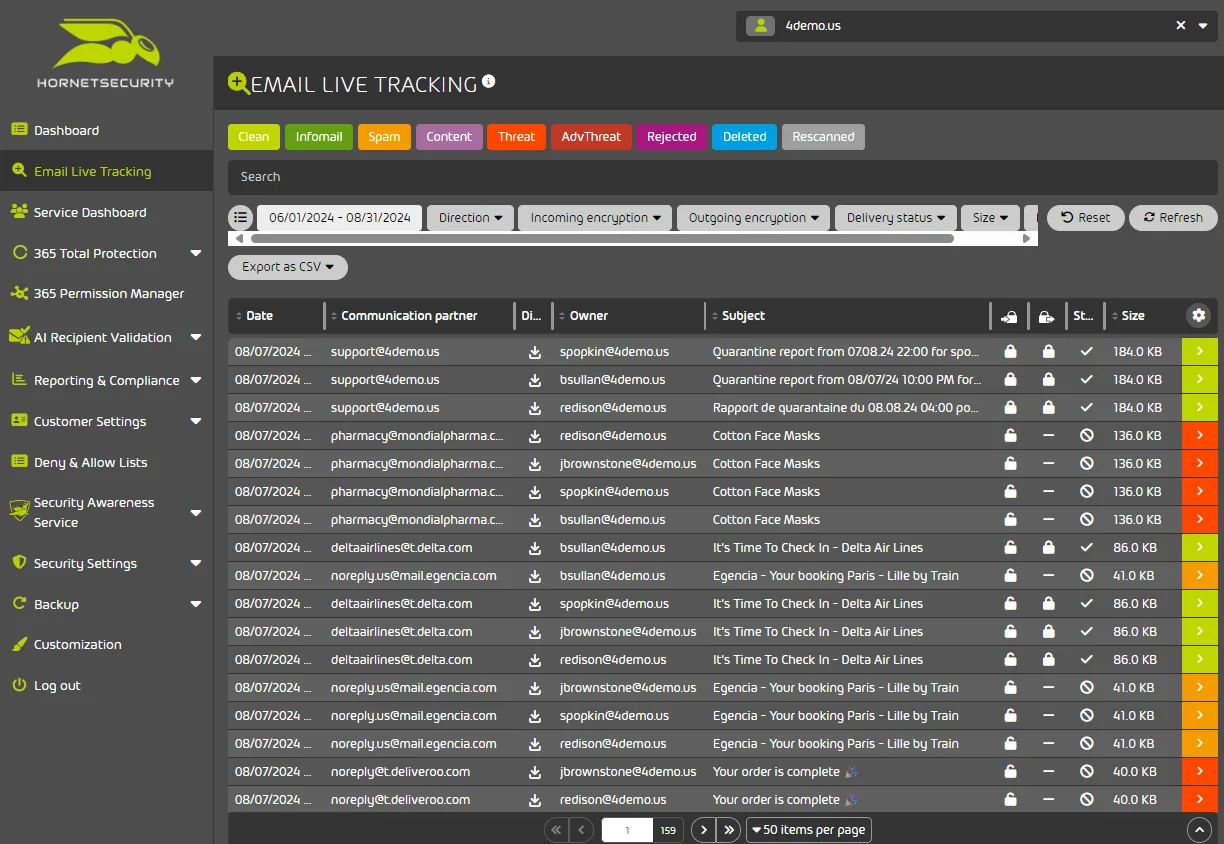
Hornetsecurity provides, among other things, multi-stage filters, link tracking, and quarantine and compliance features for email communication. CCNet checks with you which communication paths, rules, responsibilities, and escalation steps are relevant in your environment.
Hornetsecurity describes automatic archiving of incoming and outgoing emails, audit features, and policies for email encryption. CCNet structures with you which data areas, roles, retention and protection paths fit your communication reality.
365 Total Backup describes, among other things, backup and recovery of selected mailbox, contact, and Teams workloads for Microsoft 365. CCNet clarifies with you whether this M365 addition fits your existing communication paths, data areas, and recovery goals.
TEAMS PROTECTION - CONFIGURATION
CONFIGURATION
Activate Teams protectionProtect users against malicious links shared on Microsoft Teams.
Automatically delete new chats containing a malicious message
ALERTS SETTINGS i
iEmail recipients added below will receive alerts automatically
Enter an email address
Recipients of notifications
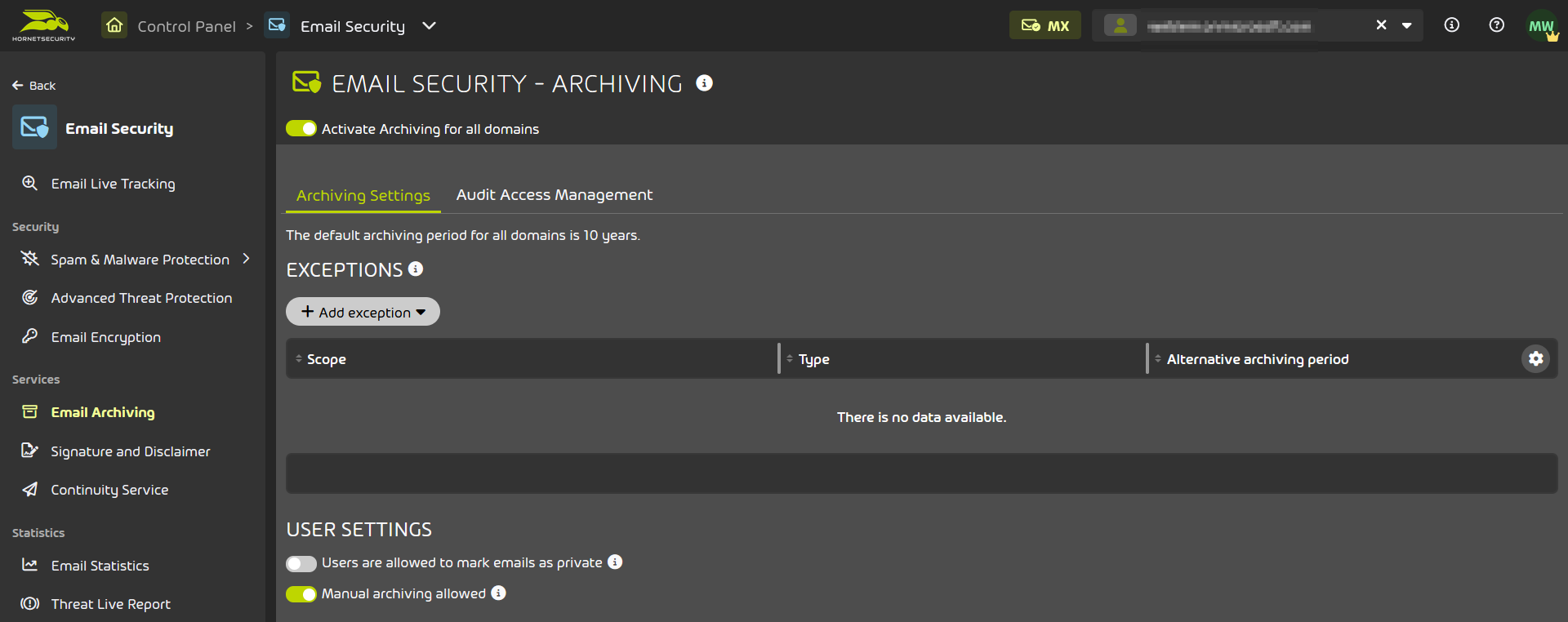
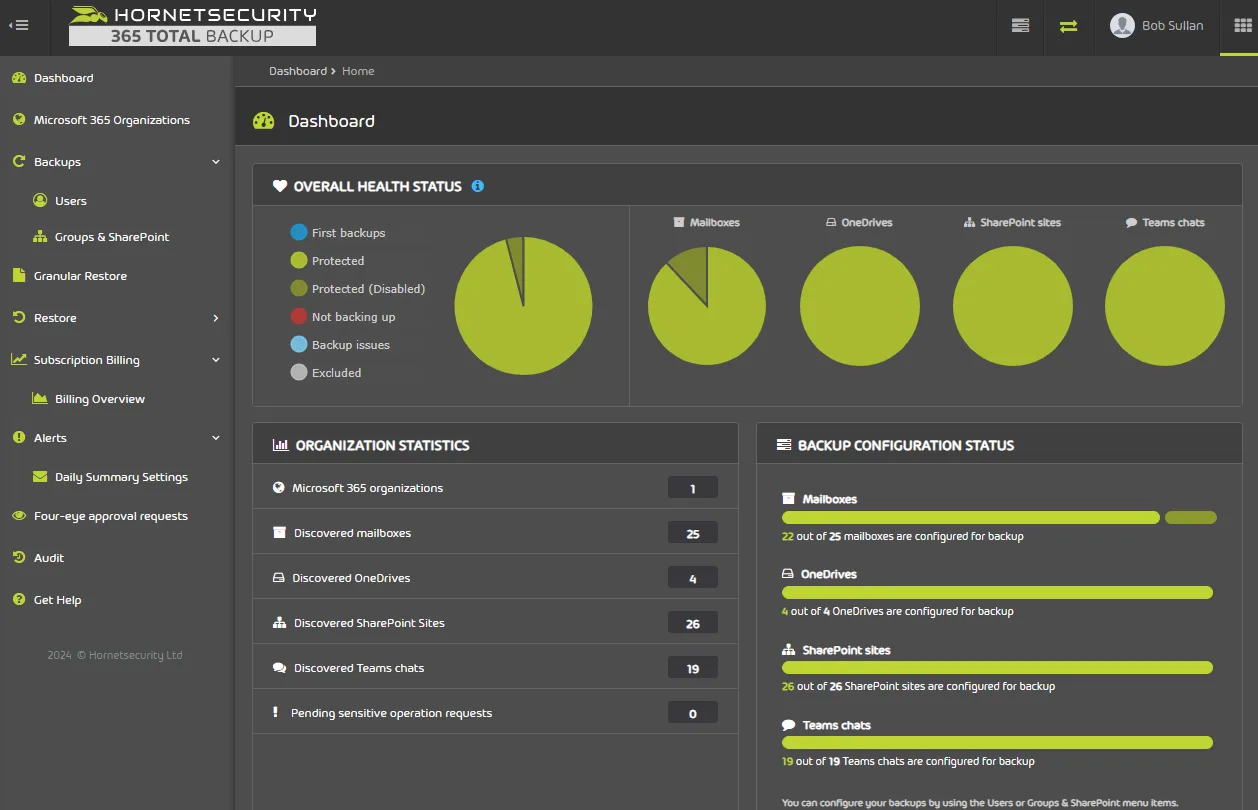
Official Hornetsecurity product view · no customer-specific live data
CCNET SUPPORTS
CCNet connects the technical Hornetsecurity building blocks with specific organizational, operational, and professional requirements.
Jointly assess mail servers, relevant data areas, locations, and existing priorities.
Establish a robust framework for responsibilities, policies, recipient groups, and escalation paths.
Integrate onboarding, reporting, and ongoing operations into the jointly agreed communication protection architecture.
TYPICAL STARTING POINTS
Three perspectives show where the joint assessment by Hornetsecurity and CCNet can be particularly relevant.
Filter status, delivery, quarantine, and relevant communication risks should not be evaluated in isolated silos.
CCNet supports the assessment of protection components, roles, and the appropriate operational path.Archiving, encryption, policies, and documentable control points are coordinated rather than just technically enabled.
CCNet structures the desired visibility and reporting logic with the responsible roles.Decision-making requires a clear connection between communication channels, roles, retention, and potential recovery paths.
CCNet translates technical options into a jointly aligned operational reality.FAQS
The answers provide guidance. They do not replace technical, legal, or regulatory case-by-case consultation.
Discuss questionThis depends on your communication channels, existing mail servers, data areas, protection requirements, roles, and operational goals. For Microsoft 365 environments, Hornetsecurity plans that bundle multiple services are often the focus. In on-premises or mixed mail server environments, individual components may be more relevant, as not every plan or component fits equally well in every environment. CCNet assesses this starting point and agrees on the appropriate path with you.
Yes. The assessment takes into account existing mail servers, communication channels, directory services, and responsibilities. Depending on the component, multiple mail servers or different locations may be relevant; scope and interfaces are specified in the project.
For this purpose, Hornetsecurity provides, among other things, filtering, link tracking, quarantine, and policy features. CCNet works with you to determine which rules, delivery paths, and escalations fit your communication reality.
Automatic archiving of incoming and outgoing emails, retention paths, audit access, and encryption rules can be part of a protection architecture. Specific deadlines, roles, and recipient groups are defined on a project basis.
Microsoft 365 is primarily relevant when considering a Microsoft 365-oriented Hornetsecurity plan – for example, with email security, backup & recovery, compliance, or security awareness. However, general communication protection starts with your email and operational processes and does not require Microsoft 365.
Hornetsecurity describes, for 365 Total Backup, among other things, Microsoft 365 mailboxes including in-place archives, Teams chats, Planner, OneNote, Entra ID users and groups, OneDrive for Business, and SharePoint document libraries. Additionally, endpoint backup for client computers can be reviewed as a separate protection area. Which data areas are actually included is determined based on the selected plan, available services, and the shared objective.
CCNet supports the classification of communication protection, solution design, implementation, role and operational models, as well as the joint further development of the aligned protection architecture.
NEXT STEP
Discuss with CCNet which email and communication channels, data areas, roles, and protection components are relevant for your operational reality.