
Organize accessibility flexibly
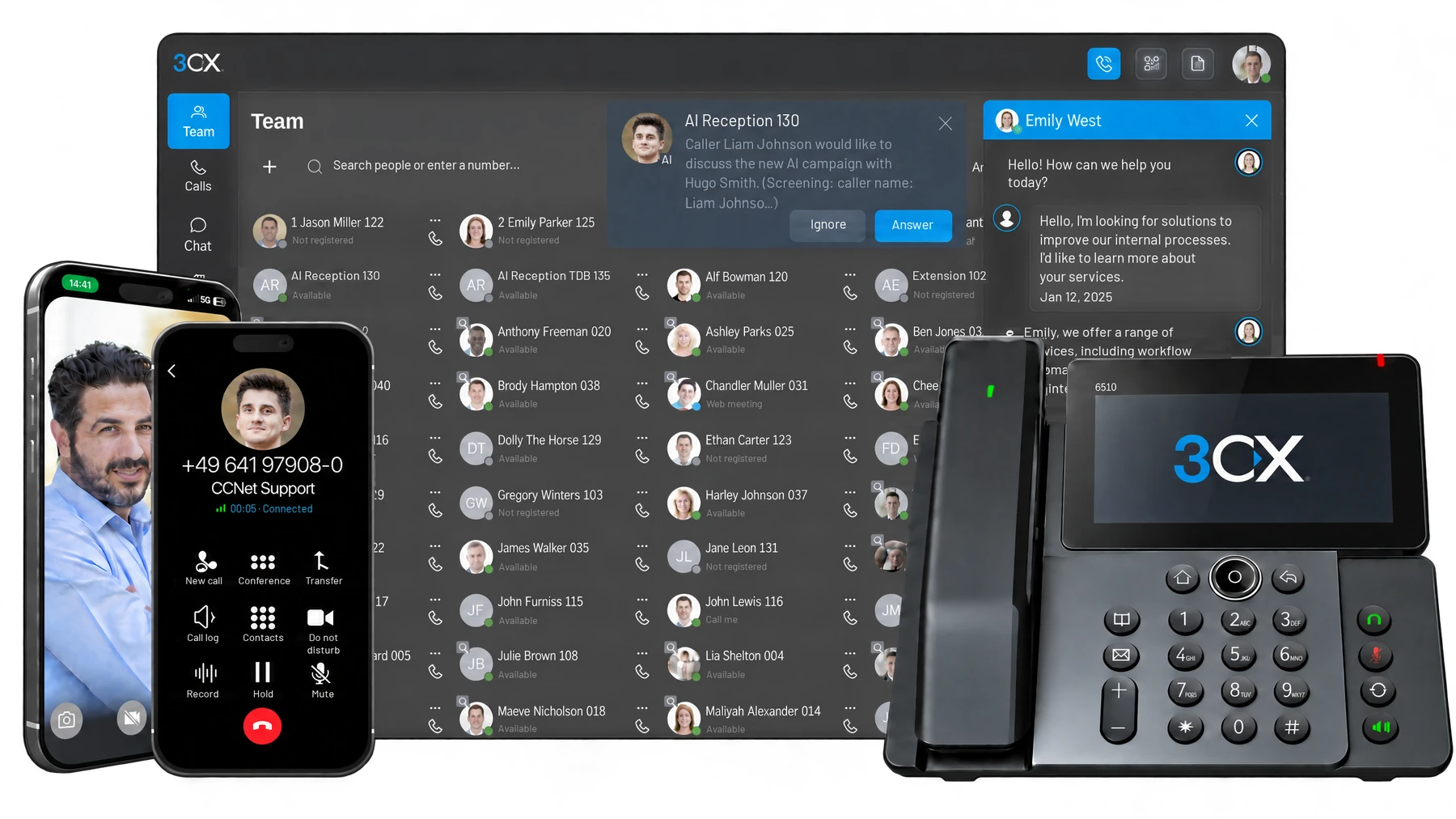
3CX can combine call groups, call forwarding, queues, and suitable apps for office, home office, and field service in a single telephony solution.


Modern IP telephony with 3CX – flexibly operable as a building block of your communication architecture, deployable across locations and tailored to your processes.
MODERN COMMUNICATION
Enterprise telephony today must do more than just forward calls to a fixed workstation. What matters is accessible teams, clear responsibilities, and an operating model that fits your organization.
3CX can combine call groups, call forwarding, queues, and suitable apps for office, home office, and field service in a single telephony solution.
Multiple offices, home offices, and field service require a coordinated framework for conversations and accessibility.
Desk phones, browsers, desktops, and mobile devices should integrate seamlessly into daily work.
Service teams need transparent pathways for calls, queues, and suitable digital contact channels.
FEATURES & CAPABILITIES
3CX offers free entry-level plans for small teams as well as the commercial Basic, PRO, and AI editions. The feature set depends on the selected plan, edition, and capacity for simultaneous calls. Together with CCNet, you will choose the solution that best fits your requirements and operating model.
BUSINESS TELEPHONY
Call groups, Auto Attendant, multi-level IVR, Call Parking/Pickup, and SIP phones form the foundation for a properly configured business telephony system.
Core Telephony · Basic, PRO, and AIMOBILE & HYBRID
3CX provides mobile apps for Android and iOS, a native Windows softphone app, and a web client – also available as a PWA in Chrome or Edge. Teams can make calls using their office number and handle chats and selected business messages via suitable devices.
Apps & Communication · depending on plan and editionCUSTOMER COMMUNICATION
3CX offers queues, live chat, incoming WhatsApp, SMS, and website messages. Reporting, wallboards, CRM views, and coaching features depend on the selected plan, edition, and configuration.
Contact Center & Channels · system- and edition-dependentADMINISTRATION & INTEGRATION
CCNet integrates 3CX as a component of your communication architecture into existing structures. 3CX lists Microsoft 365, Google Workspace, as well as CRM and helpdesk systems among its integrations; technical connectivity, data flows, and feasibility are assessed on a per-project basis.
Architecture & Integration · project-specificCOMMERCIAL EDITIONS
Basic, PRO, and AI are the three commercial 3CX editions. This selection is for orientation purposes only and does not replace a specific license or architecture review.
Core telephony
Service & integration
Automation & insight
According to 3CX, the commercial Basic edition is designed for organizations with core telephony and a lean feature set. It serves as the entry point above the free 4SC Basic variant.
3CX describes PRO as the next step for extended call control, queues, and reporting. The specific contact center and integration scope is detailed in the feature matrix by edition and SC size.
The AI edition is the current designation for the 3CX edition featuring AI and transcription capabilities. 3CX distinguishes between AI after a conversation, AI agents during a conversation, and self-hosted transcription processing.
FREE ENTRY POINTS
The official 3CX pages list two free entry points. They are not shortened versions of the same solution but differ in operation, feature scope, and target audience.
3CX SMB FREE
3CX offers SMB FREE as a hosted solution for small offices with up to 10 users. Features include apps, call control, incoming WhatsApp, live chat, SMS, and video calls.
Up to 10 users · Hosted by 3CX · Check feature scope before deployment4SC BASIC FREE
4SC Basic Free is currently a free option for very small deployments with up to 10 users. It is optimized for web clients and mobile apps and can be operated on-premises.
4 simultaneous calls · No advanced AI/CRM features3CX IN DAILY WORK
The scenarios below are use cases. They are not references or a commitment to a preconfigured standard package.
Structure availability, routing, and responsibilities for a shared company number.
Connect offices and teams along their actual communication paths.
Design functional communication channels using supported apps and suitable devices.
Categorize queues, callbacks, and service processes based on communication volume.
Connect telephony, chat, conferences, and interfaces where it makes sense functionally and technically.
Carefully review SIP trunks, phone numbers, devices, and potential system integrations.
LICENSING EXPLAINED CLEARLY
3CX offers the commercial license as an annual system license. According to the current feature matrix, Basic, PRO, and AI start at 8 simultaneous calls. For context, the chosen edition and the number of simultaneous internal and external calls are the key factors.
In addition, 3CX offers SMB FREE and 4SC Basic Free as free entry points for very small teams. The number of users does not directly determine the price of a commercial system; however, each SC size has recommended and maximum limits for users or extensions.
Define requirements togetherGUIDANCE · NOT A PRICE LIST
The right size is based on actual usage – not on a flat user count.
3CX WITH CCNET · POSSIBLE PROJECT PATH
This process is a non-binding basis for discussion. The specific CCNet services, responsibilities, and possible support scope are agreed on a per-project basis.
Review communication flows, teams, locations, and the existing IT landscape together.
Review existing telephony, phone numbers, network, SIP trunks, endpoints, and technical connections.
Develop the appropriate edition, SC size, and deployment model as a decision basis in the architectural context.
Clarify compatibility, number porting, and technical prerequisites before implementation.
Implement telephony workflows, groups, queues, and relevant interfaces after approval.
Verify calls, forwarding, endpoints, and agreed functions in a traceable way.
Depending on the agreed model, integrate operation, monitoring, maintenance, updates, backups, and support into an overarching IT operations or hosting concept.
FAQ
Answers for initial orientation. This does not replace an individual technical, legal, or licensing review.
CCNet supports 3CX projects as a consultant and integrator, from the initial needs and architecture analysis through to a coordinated handover to operations. This can include mapping communication needs, locations and call volumes, selecting the operating model, edition and SC size, technically connecting to existing IT structures, checking SIP trunks, phone numbers and endpoints, as well as planning, configuration and supervised commissioning with functionality and reachability tests. Documentation and training can support project completion. Depending on the agreed model, an operating, hosting, monitoring or support framework can be defined. The specific scope of services, responsibilities and response times are agreed for each project.
Instead of working exclusively at a single physical location and with individual devices, IP telephony can combine calls, supported apps, routing and operating models more flexibly. The concrete benefit depends on the starting point, network, processes and implementation.
3CX supports the use of your own phone numbers and supported SIP trunk providers. Whether porting is possible is checked with the respective provider, the existing contract situation and the target concept.
Yes, provided the model and firmware suit 3CX. The official 3CX compatibility list distinguishes preferred, limited and no longer supported models. Many further SIP phones may work depending on the model. For devices outside the officially supported models, however, manual configuration and additional tests can significantly increase the implementation and maintenance effort. CCNet therefore checks compatibility and scope of functions in advance; official support by 3CX is not promised for such devices.
For Hosted by 3CX the manufacturer takes over the hosting. Self-Hosting is a possible variant for operation in a self-managed cloud. On-Premise means instead that the phone system runs at your own location, for example on a dedicated Linux/Debian system. CCNet plans the suitable model with you and agrees infrastructure, updates, access and responsibilities.
For commercial systems, 3CX offers an annual licence per system. Basic, PRO and AI start from 8 simultaneous calls according to the current function matrix; the chosen edition and the number of simultaneous internal and external calls are decisive. User/extension limits additionally serve dimensioning. Prices are not stated in this draft.
3CX offers SMB FREE as a hosted solution for small offices with up to 10 users and selected communication channels. 4SC Basic Free is a separate free core telephony entry for very small setups, optimised for the web client and mobile apps. Operation, scope of functions and limits must be compared before use.
Yes. For smartphones, 3CX offers apps for Android and iOS. On the PC there is the native 3CX Windows Softphone App and the browser-based web client. In Google Chrome and Microsoft Edge the web client can also be installed as a Progressive Web App (PWA). Employees can use their business phone number or extension. Prerequisites are a supported 3CX system with a configured extension, internet access and a suitable configuration.
3CX supports multi-site requirements with the PRO edition. The sensible connection is developed from locations, phone numbers, network connections and organisational responsibilities.
CCNet evaluates 3CX as a building block of the communication architecture, plans the technical connection to existing systems and clarifies the architecture jointly with you. Depending on the target image, it can additionally be checked how the telephony solution fits into an overarching IT operating, hosting or monitoring concept. Responsibilities and specific data flows are defined per project.
CCNet accompanies 3CX projects as a consultant and integrator from the first needs and architecture analysis to the coordinated handover to operations. This can include mapping communication needs, locations and call volumes, selecting the operating model, edition and SC size, technically connecting to existing IT structures, checking SIP trunks, phone numbers and endpoints, as well as planning, configuration and supervised commissioning with functionality and reachability tests. Documentation and training can support project completion. Depending on the agreed model, an operating, hosting, monitoring or support framework can be defined. The specific scope of services, responsibilities and response times are agreed for each project.
NEXT STEP
In an initial conversation, we can map out your communication architecture, operating model, licensing logic and next planning steps in a structured way.